churchsuite app
Churchsuite is our electronic church directory and an easy way to sign up to events and check your ROSTERS.
We use it for:
Our church contact and address book
Serving and ministry rosters
Calendar and events
Managing check-in and safety for children on a Sunday
Our Sunday services
The easiest way to use Churchsuite is on the app. You can download the app here:
To login to your account via the app:
download the app onto your device
search for ‘Enoggera Baptist Church’
click on ‘My Churchsuite’
login using your email and password.
To login to your account via the app:
go to login.churchsuite.com
search for ‘Enoggera Baptist Church’
click on ‘My Churchsuite’
login using your email and password.
Once you are logged in, you will be able to change/update your details, search for others, check your team roster, and sign up to events. Only people with access to the Enoggera’s churchsuite are able to see these details. You can also ‘hide’ your mobile number, email, or address if preferred.
If you would like to be added to churchsuite, please fill in this form.
using churchsuite for team rosters: setting Unavailability
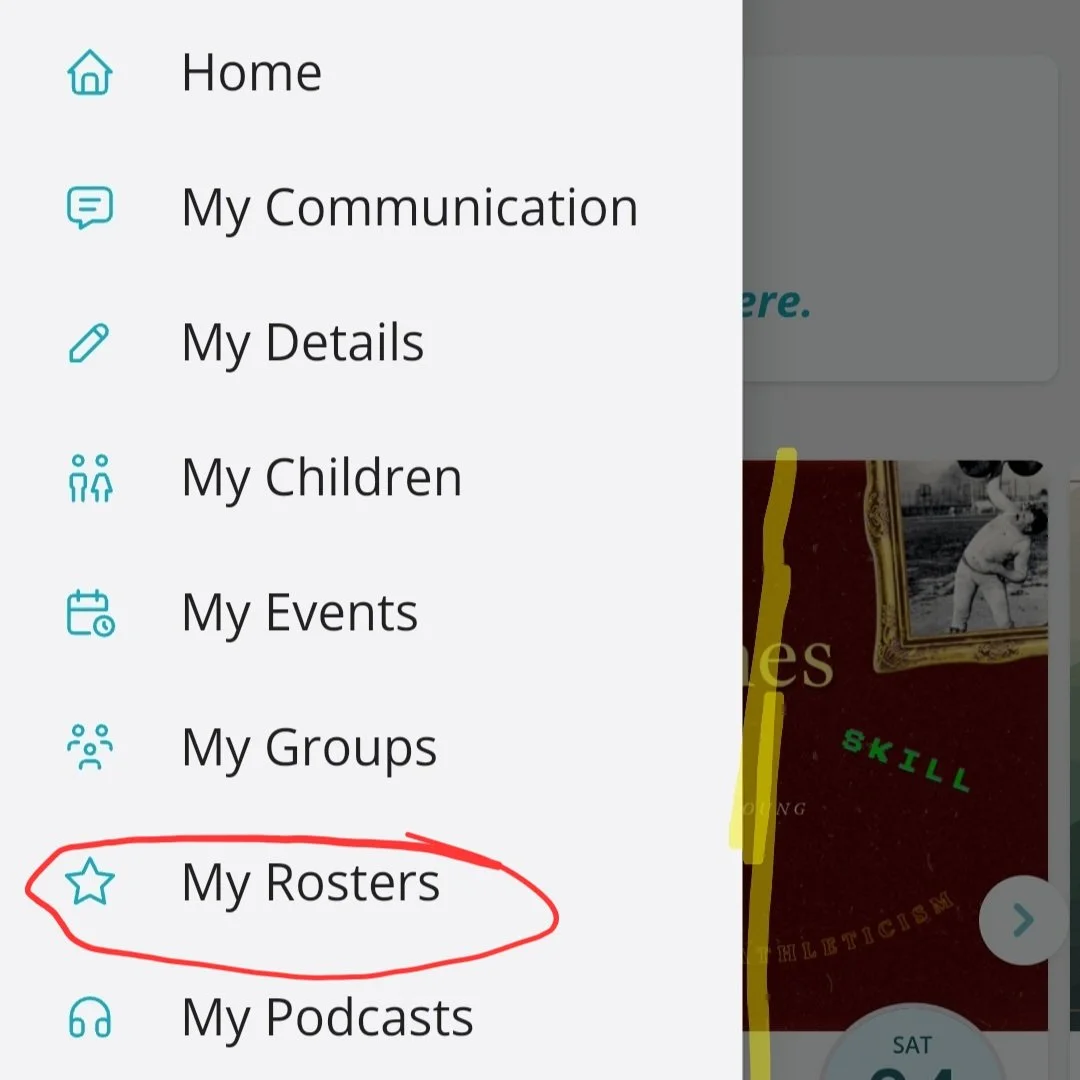
In side menu select “My Rosters”
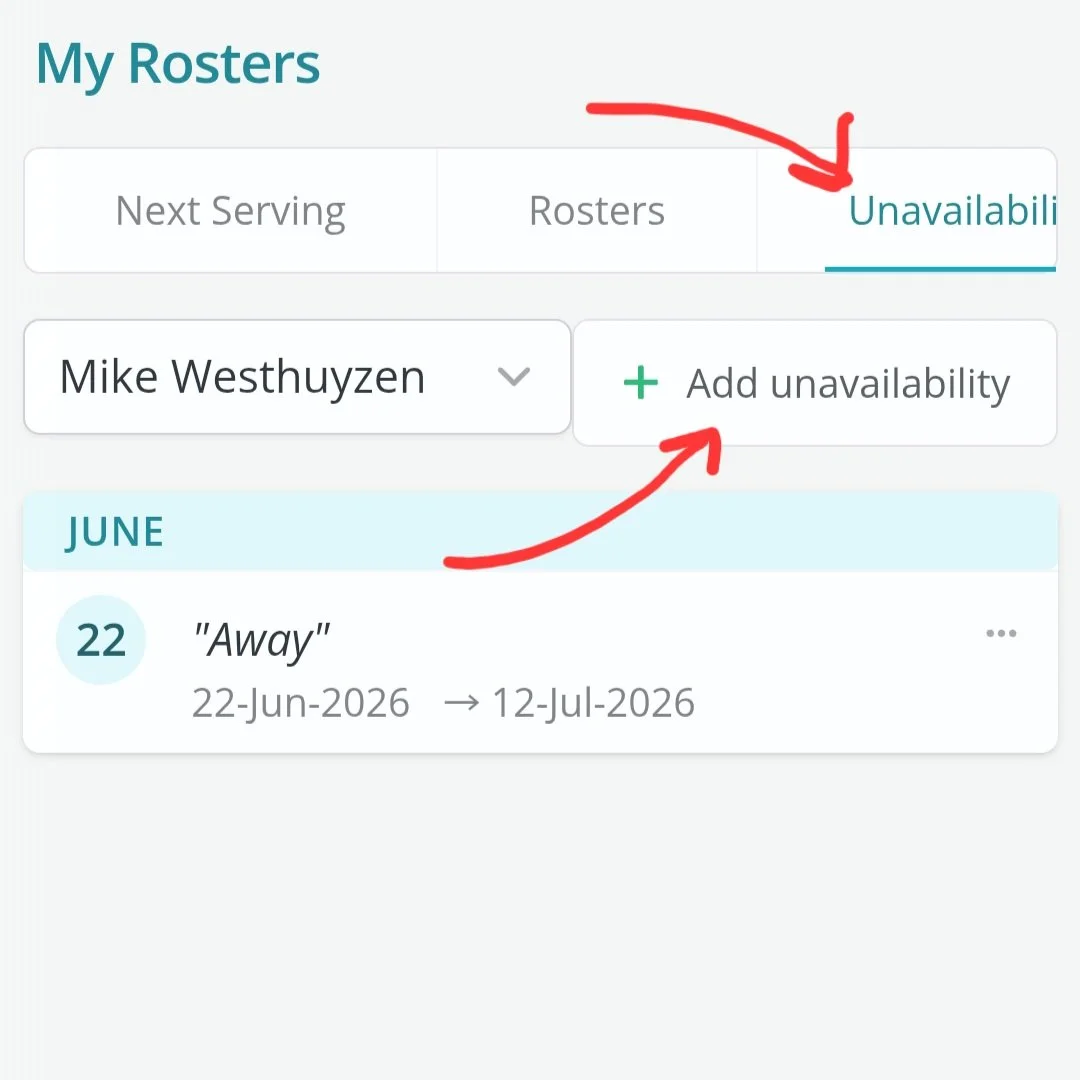
In the “My Rosters” menu, press the “Unavailability” tab, then “+Add Unavailability” and insert dates and save.